Monday, March 17, 2025

C++ Maps

 In C++, the `map` is a container in the Standard Template Library (STL) that is used to store key-value pairs. It is similar to a dictionary or associative array in other programming languages.


The `map` container is implemented as a binary search tree, which means that the keys are automatically sorted in ascending order. This allows for efficient searching, insertion, and deletion of elements.


Here is an example program that demonstrates the usage of the `map` container:


#include <iostream>

#include <map>


int main() {

    // Create a map of integers and their squares

    std::map<int, int> squares;


    // Insert key-value pairs into the map

    squares[1] = 1;

    squares[2] = 4;

    squares[3] = 9;

    squares[4] = 16;


    // Accessing elements in the map

    std::cout << "Square of 2 is: " << squares[2] << std::endl;


    // Iterating over the map

    for (const auto& pair : squares) {

        std::cout << "Square of " << pair.first << " is " << pair.second << std::endl;

    }


    // Modifying elements

    squares[3] = 10;


    // Checking if a key exists in the map

    if (squares.find(5) != squares.end()) {

        std::cout << "Key 5 exists in the map" << std::endl;

    }


    // Erasing elements

    squares.erase(2);


    // Checking the size of the map

    std::cout << "Size of the map: " << squares.size() << std::endl;


    return 0;

}


This program demonstrates the basic operations of the `map` container. It creates a `map` called `squares` and inserts key-value pairs into it. It then accesses and modifies elements in the map, iterates over the map, checks if a key exists, erases an element, and finally prints the size of the map.


The `map` container provides several member functions that can be used to manipulate the data. Some commonly used member functions are:


- `[]` operator: Used to access or modify elements in the map.

- `find()`: Used to search for a specific key in the map.

- `insert()`: Used to insert elements into the map.

- `erase()`: Used to remove elements from the map.

- `size()`: Used to get the number of elements in the map.


These are just a few examples of the member functions provided by the `map` container. There are many more functions available, depending on the specific requirements of your program.


It uses the `std::map` container to store the name and phone number pairs. The program prompts the user for the operation they want to perform and then performs it on the map.

#include <iostream>

#include <map>

#include <string>


int main() {

    std::map<std::string, std::string> phoneBook;


    // Prompt the user for the name and phone number

    std::string name, phone;


    std::cout << "Enter name('end' to stop): ";

    std::cin >> name;

    while (name != "end") {

        std::cout << "Enter phone number: ";

        std::cin >> phone;


        // Add the name and phone number to the phone book

        phoneBook[name] = phone;


        std::cout << "Enter name('end' to stop): ";

        std::cin >> name;

    }


    // Prompt the user for the operation they want to perform

    std::string operation;

    while(true) {

        std::cout << "Enter operation (find, delete, modify, list, exit): ";

        std::cin >> operation;


        if (operation == "exit") {

            break;

        }


        if (operation == "find") {

            // Prompt the user for the name to find

            std::string findName;

            std::cout << "Enter name to find: ";

            std::cin >> findName;


            // Find the name in the phone book

            auto it = phoneBook.find(findName);

            if (it != phoneBook.end()) {

                std::cout << "Found " << findName << " with phone number " << it->second << std::endl;

            } else {

                std::cout << "Not found" << std::endl;

            }

        }


        if (operation == "delete") {

            // Prompt the user for the name to delete

            std::string deleteName;

            std::cout << "Enter name to delete: ";

            std::cin >> deleteName;


            // Delete the name from the phone book

            auto it = phoneBook.find(deleteName);

            if (it != phoneBook.end()) {

                phoneBook.erase(it);

                std::cout << "Deleted " << deleteName << std::endl;

            } else {

                std::cout << "Not found" << std::endl;

            }

        }


        if (operation == "modify") {

            // Prompt the user for the name and new phone number to modify

            std::string modifyName, newPhone;

            std::cout << "Enter name to modify: ";

            std::cin >> modifyName;

            std::cout << "Enter new phone number: ";

            std::cin >> newPhone;


            // Modify the name in the phone book

            auto it = phoneBook.find(modifyName);

            if (it != phoneBook.end()) {

                it->second = newPhone;

                std::cout << "Modified " << modifyName << " with new phone number " << newPhone << std::endl;

            } else {

                std::cout << "Not found" << std::endl;

            }

        }


        if (operation == "list") {

            // List all the names and phone numbers in the phone book

            for (auto it = phoneBook.begin(); it != phoneBook.end(); ++it) {

                std::cout << it->first << ": " << it->second << std::endl;

            }

        }


    }

    return 0;

}


This program uses the `std::map` container to store the name and phone number pairs. It prompts the user for the operation they want to perform (find, delete, modify, or exit) and then performs the operation on the map.


1. Phone Book: As shown in the code snippet you provided, `std::map` can be used to store and manage a phone book. You can store names as keys and phone numbers as values. This allows for efficient searching, insertion, and deletion of entries.


2. User Profile Database: Imagine you are building a user profile database. You can use `std::map` to store user information. The username or user ID can be the key, and the corresponding user data (e.g., name, email, address) can be the value. This allows for easy lookup and modification of user information.


3. Dictionary or Thesaurus: If you are creating a dictionary or thesaurus application, you can use `std::map` to store word definitions. The word can be the key, and the corresponding definition can be the value. This enables efficient lookup and retrieval of word definitions.


4. Cache: If you are implementing a cache, you can use `std::map` to store frequently accessed data. The key can be the request (e.g., URL), and the value can be the corresponding response. This enables efficient lookup and retrieval of cached data.


These are just a few examples of the many use cases for `std::map` in C++. The versatility of `std::map` lies in its ability to efficiently store and manipulate key-value pairs, making it a powerful tool for various applications.

Here are some general main uses of `std::map` in C++:


1. Key-Value Pair Storage: `std::map` is a container that allows you to store key-value pairs. The keys are unique and are used to efficiently search, insert, and retrieve values.


2. Sorted Order: `std::map` maintains a sorted order of key-value pairs. The keys are automatically sorted in ascending order. This allows for efficient searching, insertion, and deletion of elements.


3. Easy Lookup: `std::map` provides efficient lookup operations. You can search for a key in the map using the `find()` function. If the key is found, you can retrieve the corresponding value.


4. Insertion and Modification: You can insert new key-value pairs into the map using the `operator[]` or the `insert()` function. You can also modify the values associated with existing keys.


5. Iteration: `std::map` allows you to iterate over the key-value pairs in sorted order. You can use iterators or range-based for loops to traverse the map.


6. Size and Emptiness: You can check the size of the map using the `size()` function and check if the map is empty using the `empty()` function.


7. Erasure: You can remove elements from the map using the `erase()` function. You can erase a single element or a range of elements.


These are some of the main uses of `std::map` in C++. It provides a convenient way to store and manipulate key-value pairs in a sorted order.

Tuesday, February 6, 2024

Running Golang Code Snippets in Jupyter Lab

The following docker command starts the Golang Jupter Lab notebook:

docker run -it -d -p 9000:8888 --name mygo -v <your-dir>:/notebooks/host janpfeifer/gonb_jupyterlab:latest


Tuesday, April 18, 2023

Running C++ Code Snippets in Jupyter Notebooks

When I first encountered C++ on Jupyter Lab, I was excited to start experimenting with the Dockerfile for the same. Previously, I posted a Dockerfile in my post Programmer's Quest: C++ in Jupyter Docker (progquest.blogspot.com), but it is outdated.

Please use the following Dockerfile going forward. This docker works fine for all C++ (C++11, C++14 & C++17):
FROM docker.io/jupyter/scipy-notebook:latest

RUN mamba install -yn base nb_conda_kernels \
    && mamba create -yn xeus-cling boost \
    && mamba clean -qafy

>> docker build --rm -t mycpp-jupyter .

>> docker run -e PYDEVD_DISABLE_FILE_VALIDATION=1 -u $(id -u):$(id -g) -v $(pwd):$(pwd) -w $(pwd) -e HOME=$(pwd)/.home -it -d --init -p 8888:8888 --name mycpp mycpp-jupyter jupyter lab --ip=0.0.0.0 --port=8888 --no-browser


Saturday, August 7, 2021

C++ in Jupyter Docker

Now, you can run C++ code snippets in Jupyter Nottebook.

Docker File

FROM frolvlad/alpine-miniconda3

RUN conda install -y -c conda-forge bash jupyter jupyterlab jupyter_contrib_nbextensions

RUN conda install -y -c conda-forge xeus-cling xtensor xwidgets widgetsnbextension

RUN apk update

RUN apk add nodejs npm

RUN jupyter labextension install @jupyter-widgets/jupyterlab-manager

RUN mkdir /work 

WORKDIR /work

CMD jupyter notebook --allow-root --ip 0.0.0.0


Building Docker

docker build --rm -t jupyter-cpp .

Running Docker

docker run -p 8888:8888 -it -d -e JUPYTER_ENABLE_LAB=yes -v <your dir>:/work --name <docker-name> jupyter-cpp

Use the "docker logs <docker-name>" command to get the URL & Token for the Jupyter Notebook.

It supports C++11, C++14 & C++17. 

Thursday, June 24, 2021

Dockers for Jupyter Notebook

 Docker are like mini-Vms but without any kernel of its own and shares the host's kernel. Dockers are implemented based the Linux Kernel virtualization tools like Namespaces & C-Groups.

In the past few days I was trying to install and run Jupyter Notebook in my Windows PC, it has become increasingly frustrating as it takes a lot of time to install and has lot of other shortcoming.

Finally, I gave up installing Jupyter Notebook on my Windows PC, instead I used Docker to install the Jupyter Notebook in my Linux Mint Virtual Machine.

The best and easy way to run Jupyter Notebook Docker is by the following command:

docker run -p 10000:8888 -d -e JUPYTER_ENABLE_LAB=yes -v <your-work-dir>:/home/jovyan/work --name myjupyter jupyter/datascience-notebook

Use the "docker logs <docker-name>" command to get the URL & Token for the Jupyter Notebook.


Friday, November 27, 2020

My Choice

There are lots and lots of Programming Languages in today's world. More and more are proliferating each and every day.
So, some of the people ask me what are languages we need to learn. I tell them that my Choice are:
  • C++ - my favorite
  • Python - scripting language - very fast, very minimal syntax, vast library
  • Haskell - Functional programming language of my choice
  • Nodejs/JavaScript - Web Scripting & Server Scripting
  • Golang - Versatile - combines the elegance of C++ and power of Python

Tuesday, September 17, 2019

MinGW - C++ 8.0 by Stephan T. Lavavej

Stephan T. Lavavej has compiled MinGW with the latest C++17 supporting compiler:

https://nuwen.net/mingw.html

Sunday, September 18, 2016

Unix Internals - With C Programming Examples-2

Print all the environment variables using the envp argument in main() function.


/* Program to Print Environment Variables
 * Program Name : prenv.c
 *
 */
#include <stdio.h>
int main(int argc, char *argv[], char *envp[])
{
    int i = 0;

    while (envp[i]) {
        printf("Environment Variable : %s\n", envp[i]);
        i++;
    }
    return 0;
}


Print all the environment variables using extern variable environ.

/* Program to Print Environment Variables
 * Program Name : prenvv.c
 *
 */
#include <stdio.h>

extern char **environ;

int main(int argc, char *argv[])
{
    int i = 0;

    while (environ[i]) {
        printf("Environment Variable : %s\n", environ[i]);
        i++;
    }
    return 0;
}


The output of both the programs are same.

Program Output:


$ ./prenv
Environment Variable : _=./prenv
Environment Variable : HZ=100
Environment Variable : SSH_TTY=/dev/ttyp0
Environment Variable : PATH=/bin:/usr/bin:/usr/gnu/bin:/sbin:/usr/local/bin
Environment Variable : HUSHLOGIN=FALSE
Environment Variable : EDITOR=emacs
Environment Variable : SHELL=/bin/ksh
Environment Variable : HOME=/home/reemus
Environment Variable : TERM=xterm
Environment Variable : PWD=/home/reemus/prog/cprog
Environment Variable : TZ=EST5EDT
Environment Variable : ENV=/home/reemus/.kshrc
$


Thursday, September 15, 2016

Unix Internals - With C Programming Examples-1

For a long time I wanted to create a series of Blog post of what I have learned as Unix System Programming and its Internals with the help of plain simple to read examples.

Program: cmdargs.c


/* Program to read and display the command-line arguments */
#include <stdio.h>

int main(int argc, char *argv[])
/* argc - No. of Command-line Arguments passed to the program */
/* argv - Array of Strings - Command-line Arguments */
{
    int i;
    printf("No. of Command-line Arguments : %d\n", argc);
    for (i = 0; i < argc; i++) {
        printf("Arg[%d] = %s\n", i, argv[i]);
    }
    return 0;
}

Output:


$ ./cmdargs one two three
No. of Command-line Arguments : 4
Arg[0] = ./cmdargs
Arg[1] = one
Arg[2] = two
Arg[3] = three
$ 

As you can see the "argc" contains the number of command-line arguments passed to the program.

The very first command-line argument for the program is program name itself, followed by the other arguments passed.


Saturday, August 20, 2016

Books for Programmers (From Quora)


Books to be Read by Programmers
  1. Gödel Escher Bach by Douglas Hofstadter (cognitive scientist)
  2. The Metamagical Themas by Douglas Hofstadter
  3. The Art of Computer Programming by Donald Knuth
  4. Causality: Models, Reasoning and Inference by Judea Pearl
  5. Concepts, Techniques, and Models of Computer Programming by Peter Van Roy
  6. Purely Functional Data Structures by Okasaki
  7. The Art of Meta Object Protocol by Gregor Kiczales
  8. To Mock a Mockingbird by Raymond Smullyan

Friday, March 11, 2016

UltraEdit Compile And Execute Batch Files

Compile Batch File

@echo off

set FULL_FILENAME=%~1
set FILENAME=%~n1
set DIRNAME=%~dp1
set FILE_EXT=%~x1

echo Full File Name: %FULL_FILENAME%
echo File Name: %FILENAME%
echo File Directory: %DIRNAME%
echo File Extension: %FILE_EXT%

set CC_BIN=gcc
set CPP_BIN=g++
set GHC_BIN=ghc
set SCALA_BIN=scalac.bat

set CC_EXT=.c
set CPP_EXT=.c++
set GHC_EXT=.hs
set SCALA_EXT=.scala

REM set CPP_OPTIONS=-std=c++11
set CPP_OPTIONS=

IF /I %FILE_EXT% == %CPP_EXT% GOTO __CPPCOMPILE
IF /I %FILE_EXT% == %CC_EXT%  GOTO __CCOMPILE
IF /I %FILE_EXT% == %GHC_EXT% GOTO __HSKCOMPILE
IF /I %FILE_EXT% == %SCALA_EXT% GOTO __SCALACOMPILE
GOTO END

:__CCOMPILE
echo --- Compiling C Program ... ---
call %CC_BIN% %FULL_FILENAME%  -o %FILENAME%.exe & IF ERRORLEVEL 1 (echo. && echo "ERROR - Compilation Error - Please Fix !!!" ) ELSE echo "Compilation success !!!"
GOTO END

:__CPPCOMPILE
echo --- Compiling C++ Program ... ---
call %CPP_BIN% %FULL_FILENAME%  -o %FILENAME%.exe %CPP_OPTIONS% & IF ERRORLEVEL 1 (echo. && echo "ERROR - Compilation Error - Please Fix !!!" ) ELSE echo "Compilation success !!!"
GOTO END

:__HSKCOMPILE
echo --- Compiling Haskell Program ... ---
call %GHC_BIN% --make %FULL_FILENAME%  -o %FILENAME%.exe & IF ERRORLEVEL 1 (echo. && echo "ERROR - Compilation Error - Please Fix !!!" ) ELSE echo "Compilation success !!!"
GOTO END

:__SCALACOMPILE
echo --- Compiling Scala Program ... ---
call %SCALA_BIN% %FULL_FILENAME%  & IF ERRORLEVEL 1 (echo. && echo "ERROR - Compilation Error - Please Fix !!!" ) ELSE echo "Compilation success !!!"
GOTO END

:END

Execute Batch File

@echo off

set FULL_FILENAME=%~1
set FILENAME=%~n1
set DIRNAME=%~dp1
set FILE_EXT=%~x1

echo ++++++++++++++++++++++++++++++++++++++++
echo Executing  %FULL_FILENAME%  ...
echo ++++++++++++++++++++++++++++++++++++++++

set CC_BIN=gcc
set CPP_BIN=g++
set GHC_BIN=ghc
set RUBY_BIN=C:\Ruby21\bin\ruby.exe
set PYTHON_BIN=C:\Python27\python.exe
set SCALA_BIN=scala.bat


set CC_EXT=.c
set CPP_EXT=.c++
set GHC_EXT=.hs
set PY_EXT=.py
set RUBY_EXT=.rb
set SCALA_EXT=.scala

IF /I %FILE_EXT% == %CPP_EXT% GOTO __CPPEXEC
IF /I %FILE_EXT% == %CC_EXT%  GOTO __CEXEC
IF /I %FILE_EXT% == %GHC_EXT% GOTO __HSKEXEC
IF /I %FILE_EXT% == %PY_EXT% GOTO __PYTHONEXEC
IF /I %FILE_EXT% == %RUBY_EXT% GOTO __RUBYEXEC
IF /I %FILE_EXT% == %SCALA_EXT% GOTO __SCALAEXEC
GOTO END

:__CEXEC
call %FILENAME%.exe
GOTO END

:__CPPEXEC
call %FILENAME%.exe
GOTO END

:__HSKEXEC
call %FILENAME%.exe
GOTO END

:__PYTHONEXEC
call %PYTHON_BIN% %FULL_FILENAME%
GOTO END

:__RUBYEXEC
call %RUBY_BIN% %FULL_FILENAME%
GOTO END

:__SCALAEXEC
call %SCALA_BIN% %FILENAME%
GOTO END

:END
echo ++++++++++++++++++++++++++++++++++++++++
echo Execution - Completed !!!
pause

Sunday, September 13, 2015

C++11 Thread Example

[thread1.c++]

#include <iostream>
#include <thread>
#include <chrono>

using namespace std;

void funThread1() {
    for (int i = 0; i < 10; ++i) {
        this_thread::sleep_for(chrono::seconds(1));
        cout<<"Thread-1"<<endl;
    }
}

void funThread2() {
    for (int i = 0; i < 10; ++i) {
        this_thread::sleep_for(chrono::seconds(1));
        cout<<"Thread-2"<<endl;
    }
}

void funThread3() {
    for (int i = 0; i < 10; ++i) {
        this_thread::sleep_for(chrono::seconds(1));
        cout<<"Thread-3"<<endl;
    }
}

int main() {
  thread t1(funThread1);
  thread t2(funThread2);
  thread t3(funThread3);

  cout<<"Main Function - wait for Threads to complete ..."<<endl;

  t1.join();
  t2.join();
  t3.join();

  return 0;
}

Compilation:
g++ -o thread1 thread1.c++ -std=c++11 -lpthread

Monday, June 8, 2015

QSort in Haskell

qsort [] = []
qsort (lst) = ((qsort lesser) ++ mid ++ (qsort greater))
                  where p = head lst
                        lesser  = [z | z<-lst, z<p]
                        greater = [z | z<-lst, z>p]
                        mid = [z | z<-lst, z==p]

main :: IO()
main = do
    putStrLn $ show (qsort [2,7,3,5,1])

QSort in Python


#! /usr/bin/python

def myqsort(lst):
    if len(lst) <= 1:
        return lst
    p = lst[0]
    return myqsort([x for x in lst if x<p]) + [x for x in lst if x==p] + myqsort([x for x in lst if x>p])


lst = myqsort([1,4,3,4,6,3,2,6,8,3,2,6,9,7])
print lst
 

Sunday, June 7, 2015

My .vimrc file

[reemuskumar@reemuskumar-vm ~]$ cat .vimrc

set nu
set ai
set ts=4
set expandtab

highlight Type ctermfg=darkblue
highlight Statement ctermfg=darkred
highlight Function ctermfg=DarkMagenta


 [reemuskumar@reemuskumar-vm ~]$

Saturday, June 6, 2015

BFS and DFS with MultiMap in C++


#include <iostream>
#include <stack>
#include <queue>
#include <map>
#include <string>

using namespace std;

template <typename type>
class graph {
    private:
        multimap<type, type> adj;
        
    public:
        void insert(type, type);
        void DFS(type);
        void BFS(type);
        void display();
};

template <typename type>
void graph<type>::insert(type e1, type e2) {
    adj.insert(make_pair(e1,e2));
    // for un-directed graphs
    adj.insert(make_pair(e2,e1));
    
}
template <typename type>
void graph<type>::display() {
    typename multimap<type, type>::iterator i;

    for(i = adj.begin(); i != adj.end();i = adj.upper_bound(i->first)) { 
        cout<<i->first;
        pair<typename multimap<type, type>::iterator, typename multimap<type, type>::iterator> val;
        val = adj.equal_range(i->first);
        typename multimap<type, type>::iterator j;
        for(j = val.first; j != val.second; j++) {
            cout<<"->"<<j->second;
        }
        cout<<endl;
    }
}

template <typename type>
void graph<type>::DFS(type dd) {
    map<type, bool> visited;
    typename multimap<type, type>::iterator i;
    stack<type> ss;
    type v;
    
    for (i = adj.begin(); i != adj.end();i = adj.upper_bound(i->first)) {
        visited[i->first] = false;
    }
    cout<<"DFS : ";
    ss.push(dd);
    while (!ss.empty()) {
        v = ss.top();
        ss.pop();
        if (visited[v]) continue;
        cout<<v<<"->";
        visited[v] = true;
        pair<typename multimap<type, type>::iterator, typename multimap<type, type>::iterator> val;
        val = adj.equal_range(v);
        for(i = val.first; i != val.second; i++) {
            ss.push(i->second);
        }
    }
    cout<<"NULL"<<endl;
}

template <typename type>
void graph<type>::BFS(type dd) {
    map<type, bool> visited;
    typename multimap<type, type>::iterator i;
    queue<type> qq;
    type v;
    
    for (i = adj.begin(); i != adj.end();i = adj.upper_bound(i->first)) {
        visited[i->first] = false;
    }
    cout<<"BFS : ";
    qq.push(dd);
    cout<<dd<<"->";
    visited[dd] = true;
    while (!qq.empty()) {
        v = qq.front();
        qq.pop();
        pair<typename multimap<type, type>::iterator, typename multimap<type, type>::iterator> val;
        val = adj.equal_range(v);
        for(i = val.first; i != val.second; i++) {
            if (visited[i->second]) continue;
            qq.push(i->second);
            cout<<i->second<<"->";
            visited[i->second] = true;
        }
    }
    cout<<"NULL"<<endl;
}


int main() {
    graph<int> g;
    
    g.insert(1,2); g.insert(1,7); g.insert(1,8);
    g.insert(2,3); g.insert(2,6);
    g.insert(3,4); g.insert(3,5);
    g.insert(8,9); g.insert(8,12);
    g.insert(9,10); g.insert(9,11);
    g.display();
    g.DFS(1);
    g.BFS(1);
    return 0;
}

-----


++++ Output ++++
1->2->7->8
2->1->3->6
3->2->4->5
4->3
5->3
6->2
7->1
8->1->9->12
9->8->10->11
10->9
11->9
12->8
DFS : 1->8->12->9->11->10->7->2->6->3->5->4->NULL
BFS : 1->2->7->8->3->6->9->12->4->5->10->11->NULL

--------------------------------
Process exited after 0.02219 seconds with return value 0
Press any key to continue . . .

Monday, May 18, 2015

C++ for All

[cut & paste from: http://stackoverflow.com/questions/388242/the-definitive-c-book-guide-and-list]

Beginner

Introductory, no previous programming experience

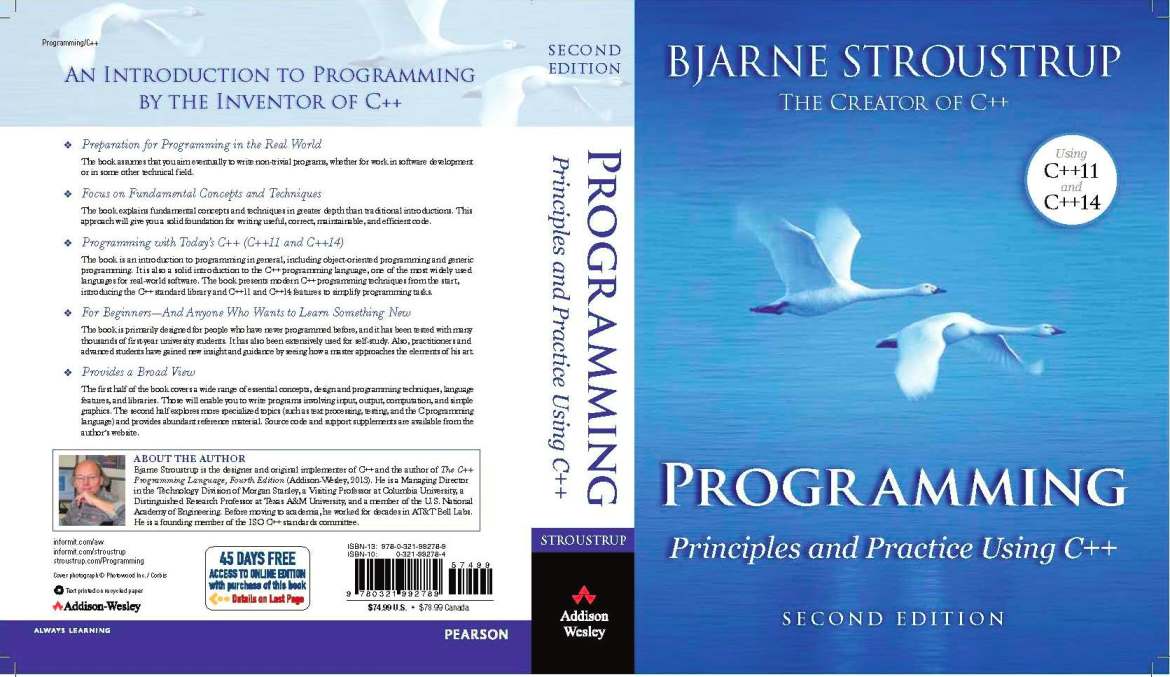
  1. Programming: Principles and Practice Using C++ (Bjarne Stroustrup) (updated for C++11/C++14) An introduction to programming using C++ by the creator of the language. A good read, that assumes no previous programming experience, but is not only for beginners.

Introductory, with previous programming experience

  1. C++ Primer * (Stanley Lippman, Josée Lajoie, and Barbara E. Moo) (updated for C++11) Coming at 1k pages, this is a very thorough introduction into C++ that covers just about everything in the language in a very accessible format and in great detail. The fifth edition (released August 16, 2012) covers C++11. [Review]
  2. A Tour of C++ (Bjarne Stroustrup) The "tour" is a quick (about 180 pages and 14 chapters) tutorial overview of all of standard C++ (language and standard library, and using C++11) at a moderately high level for people who already know C++ or at least are experienced programmers. This book is an extended version of the material that constitutes Chapters 2-5 of The C++ Programming Language, 4th edition.
  3. Accelerated C++ (Andrew Koenig and Barbara Moo) This basically covers the same ground as the C++ Primer, but does so on a fourth of its space. This is largely because it does not attempt to be an introduction to programming, but an introduction to C++ for people who've previously programmed in some other language. It has a steeper learning curve, but, for those who can cope with this, it is a very compact introduction into the language. (Historically, it broke new ground by being the first beginner's book to use a modern approach at teaching the language.) [Review]
  4. Thinking in C++ (Bruce Eckel) Two volumes; is a tutorial style free set of intro level books. Downloads: vol 1, vol 2. Unfortunately they’re marred by a number of trivial errors (e.g. maintaining that temporaries are automatically const), with no official errata list. A partial 3rd party errata list is available at (http://www.computersciencelab.com/Eckel.htm), but it’s apparently not maintained.

Best practices

  1. Effective C++ (Scott Meyers) This was written with the aim of being the best second book C++ programmers should read, and it succeeded. Earlier editions were aimed at programmers coming from C, the third edition changes this and targets programmers coming from languages like Java. It presents ~50 easy-to-remember rules of thumb along with their rationale in a very accessible (and enjoyable) style. [Review]
  2. Effective STL (Scott Meyers) This aims to do the same to the part of the standard library coming from the STL what Effective C++ did to the language as a whole: It presents rules of thumb along with their rationale. [Review]

Intermediate

  1. More Effective C++ (Scott Meyers) Even more rules of thumb than Effective C++. Not as important as the ones in the first book, but still good to know.
  2. Exceptional C++ (Herb Sutter) Presented as a set of puzzles, this has one of the best and thorough discussions of the proper resource management and exception safety in C++ through Resource Acquisition is Initialization (RAII) in addition to in-depth coverage of a variety of other topics including the pimpl idiom, name lookup, good class design, and the C++ memory model. [Review]
  3. More Exceptional C++ (Herb Sutter) Covers additional exception safety topics not covered in Exceptional C++, in addition to discussion of effective object oriented programming in C++ and correct use of the STL. [Review]
  4. Exceptional C++ Style (Herb Sutter) Discusses generic programming, optimization, and resource management; this book also has an excellent exposition of how to write modular code in C++ by using nonmember functions and the single responsibility principle. [Review]
  5. C++ Coding Standards (Herb Sutter and Andrei Alexandrescu) "Coding standards" here doesn't mean "how many spaces should I indent my code?" This book contains 101 best practices, idioms, and common pitfalls that can help you to write correct, understandable, and efficient C++ code. [Review]
  6. C++ Templates: The Complete Guide (David Vandevoorde and Nicolai M. Josuttis) This is the book about templates as they existed before C++11. It covers everything from the very basics to some of the most advanced template metaprogramming and explains every detail of how templates work (both conceptually and at how they are implemented) and discusses many common pitfalls. Has excellent summaries of the One Definition Rule (ODR) and overload resolution in the appendices. A second edition is scheduled for 2016. [Review]
  7. Effective Modern C++ (Scott Meyers) This book describes how to write truly great software using C++11 and C++14—i.e. using modern C++.

Advanced

  1. Modern C++ Design (Andrei Alexandrescu) A groundbreaking book on advanced generic programming techniques. Introduces policy-based design, type lists, and fundamental generic programming idioms then explains how many useful design patterns (including small object allocators, functors, factories, visitors, and multimethods) can be implemented efficiently, modularly, and cleanly using generic programming. [Review]
  2. C++ Template Metaprogramming (David Abrahams and Aleksey Gurtovoy)
  3. C++ Concurrency In Action (Anthony Williams) A book covering C++11 concurrency support including the thread library, the atomics library, the C++ memory model, locks and mutexes, as well as issues of designing and debugging multithreaded applications.
  4. Advanced C++ Metaprogramming (Davide Di Gennaro) A pre-C++11 manual of TMP techniques, focused more on practice than theory. There are a ton of snippets in this book, some of which are made obsolete by typetraits, but the techniques, are nonetheless, useful to know. If you can put up with the quirky formatting/editing, it is easier to read than Alexandrescu, and arguably, more rewarding. For more experienced developers, there is a good chance that you may pick up something about a dark corner of C++ (a quirk) that usually only comes about through extensive experience.

Reference Style - All Levels

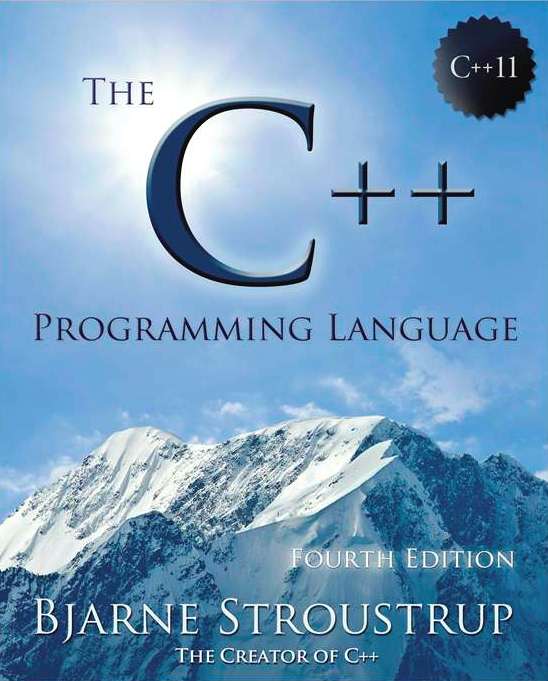
  1. The C++ Programming Language (Bjarne Stroustrup) (updated for C++11) The classic introduction to C++ by its creator. Written to parallel the classic K&R, this indeed reads very much alike it and covers just about everything from the core language to the standard library, to programming paradigms to the language's philosophy. (Thereby making the latest editions break the 1k page barrier.) [Review] The fourth edition (released on May 19, 2013) covers C++11.
  2. C++ Standard Library Tutorial and Reference (Nicolai Josuttis) (updated for C++11) The introduction and reference for the C++ Standard Library. The second edition (released on April 9, 2012) covers C++11. [Review]
  3. The C++ IO Streams and Locales (Angelika Langer and Klaus Kreft) There's very little to say about this book except that, if you want to know anything about streams and locales, then this is the one place to find definitive answers. [Review]
C++11 References:
  1. The C++ Standard (INCITS/ISO/IEC 14882-2011) This, of course, is the final arbiter of all that is or isn't C++. Be aware, however, that it is intended purely as a reference for experienced users willing to devote considerable time and effort to its understanding. As usual, the first release was quite expensive ($300+ US), but it has now been released in electronic form for $60US
  2. Overview of the New C++ (C++11/14) (PDF only) (Scott Meyers) (updated for C++1y/C++14) These are the presentation materials (slides and some lecture notes) of a three-day training course offered by Scott Meyers, who's a highly respected author on C++. Even though the list of items is short, the quality is high.

Classics / Older

Note: Some information contained within these books may not be up-to-date or no longer considered best practice.
  1. The Design and Evolution of C++ (Bjarne Stroustrup) If you want to know why the language is the way it is, this book is where you find answers. This covers everything before the standardization of C++.
  2. Ruminations on C++ - (Andrew Koenig and Barbara Moo) [Review]
  3. Advanced C++ Programming Styles and Idioms (James Coplien) A predecessor of the pattern movement, it describes many C++-specific "idioms". It's certainly a very good book and still worth a read if you can spare the time, but quite old and not up-to-date with current C++.
  4. Large Scale C++ Software Design (John Lakos) Lakos explains techniques to manage very big C++ software projects. Certainly a good read, if it only was up to date. It was written long before C++98, and misses on many features (e.g. namespaces) important for large scale projects. If you need to work in a big C++ software project, you might want to read it, although you need to take more than a grain of salt with it. The first volume of a new edition is expected in 2015.
  5. Inside the C++ Object Model (Stanley Lippman) If you want to know how virtual member functions are commonly implemented and how base objects are commonly laid out in memory in a multi-inheritance scenario, and how all this affects performance, this is where you will find thorough discussions of such topics.

Thursday, April 2, 2015

Linux System Programming - File IO

Copy   
 
Program:
 
    1 #include <stdio.h>
    2 #include <stdlib.h>
    3 #include <fcntl.h>
    4 #include <sys/types.h>
    5 #include <sys/stat.h>
    6 
    7 #define BUFSIZE 1024
    8 
    9 void printex(char *str) {
   10     fprintf(stderr, "%s\n", str);
   11     exit(EXIT_FAILURE);
   12 }
   13 
   14 void printerr(char *str) {
   15     perror(str);
   16     exit(EXIT_FAILURE);
   17 }
   18 
   19 int main(int argc, char *argv[]) {
   20     int rdfd, wrfd, nread, nwrite;
   21     char buf[BUFSIZE];
   22 
   23     if (argc != 3) {
   24         printex("Usage: mycopy <file1> <file2>");
   25     }
   26 
   27     rdfd = open(argv[1], O_RDONLY);
   28     if (-1 == rdfd){
   29         printerr("source file open");
   30     }
   31 
   32     wrfd = open(argv[2], O_WRONLY | O_CREAT, 
   33                S_IRWXU | S_IRGRP | S_IROTH);
   34 
   35     if (-1 == wrfd) {
   36         printerr("dest file open");
   37     }
   38 
   39     while ((nread = read(rdfd, buf, sizeof(buf))) > 0) {
   40         if ((nwrite = write(wrfd, buf, nread)) != nread) {
   41             printerr("dest file write");
   42         }
   43     }
   44     if (-1 == nread) {
   45         printerr("src file read");
   46     }
   47 
   48     if (close(rdfd) == -1) {
   49         printerr("close src file");
   50     }
   51     if (close(wrfd) == -1) {
   52         printerr("close dest file");
   53     }
   54 
   55     return EXIT_SUCCESS;
   56 }
   57  
 
Strace Log
========== 
reemuskumar ~/prog/cprog/linsys $ strace ./mycopy data2 data3
execve("./mycopy", ["./mycopy", "data2", "data3"], [/* 21 vars */]) = 0
.....
open("data2", O_RDONLY)                 = 3
open("data3", O_WRONLY|O_CREAT, 0744)   = 4
read(3, "abcdefghijklmnopqrstuvwxyz\nabcde"..., 1024) = 270
write(4, "abcdefghijklmnopqrstuvwxyz\nabcde"..., 270) = 270
read(3, "", 1024)                       = 0
close(3)                                = 0
close(4)                                = 0
exit_group(0)                           = ?
+++ exited with 0 +++
 

Starting from the first

I want to start learning programming again with C++ 11. Programming is always a fascinating art for me and C++ is always been by favorite Programming Language.

Reading orders of the C++ Programming Books:

1.  Programming: Principles and Practice Using C++ - Bjarne Stroustrup


2. C++ Primer - Stanley Lippmann, Josee Lajoie, Barbara E.Moo


3. C++ for the Impatient - Brian Overland


4. The C++ Programming Language - Bjarne Stroustrup

My Goal for this year is to complete reading the first 2 books along with Linux Programming Interface book by Micheal Kerrisk. This seems to be a lofty goal, will try my level best to achieve it.

Wednesday, November 12, 2014

Map, Reduce and Filter in Python

Python Supports Functional Programming using Lambda. Python treats functions as first-class objects. It can be used as variables.


>>> def sum(x,y) :
...     return x + y
... 
>>> sum(2,4)
6
>>> mysum = sum
>>> mysum(34,45)
79
>>> sum
<function sum at 0x7f6e5c7135f0>
>>> mysum
<function sum at 0x7f6e5c7135f0>


Lambda allows us to create a short "Anonymous" functions. For example "(lambda x, y: x+y)(3,4)" will return 7.

In this post, we will be looking into 3 function(filter, map, and reduce) from an functional point-of-view:
  • filter(filtering function object, list) 
  • map(mapping function object, list) 
  • reduce(reducing function object, list) 

Filter function:
The filter() call filtering function for each element in the given list and selects the element based on the return value of the filter function.


>>> num = range(1,100)
>>> filter(lambda x: x%5 == 0, num)
[5, 10, 15, 20, 25, 30, 35, 40, 45, 50, 55, 60, 65, 70, 75, 80, 85, 90, 95]
>>>


Map Function:
The map() function applies mapping function for each element in the given list and returns the mapped resultant list.


>>> num10 = range(1,11)
>>> num10
[1, 2, 3, 4, 5, 6, 7, 8, 9, 10]
>>> square10 = map(lambda x: x**2, num10)
>>> square10
[1, 4, 9, 16, 25, 36, 49, 64, 81, 100]
>>>


Maps are really useful when you want to extract a particular field from an array of Dictionary.

>>> dictList = [ {'FirstName': 'Michael', 'LastName': 'Kirk', 'SSID': '224567'},
... {'FirstName': 'Linda', 'LastName': 'Matthew', 'SSID': '123456'},
... {'FirstName': 'Sandra', 'LastName': 'Parkin', 'SSID': '123456'},
... {'FirstName': 'Bob', 'LastName': 'Henry', 'SSID': '666666'},
... {'FirstName': 'Silvia', 'LastName': 'Perkin', 'SSID': '676767'}]
>>> dictList
[{'LastName': 'Kirk', 'SSID': '224567', 'FirstName': 'Michael'}, 
{'LastName': 'Matthew', 'SSID': '123456', 'FirstName': 'Linda'}, 
{'LastName': 'Parkin', 'SSID': '123456', 'FirstName': 'Sandra'}, 
{'LastName': 'Henry', 'SSID': '666666', 'FirstName': 'Bob'}, 
{'LastName': 'Perkin', 'SSID': '676767', 'FirstName': 'Silvia'}]
>>> map(lambda x: x['LastName'], dictList)
['Kirk', 'Matthew', 'Parkin', 'Henry', 'Perkin']
>>> 


Reduce Function:
The Reduce function applies the reducing function for the first pair of the list and then applies reducing function  again with the resultant with the next element in the list, so on till all the last element of the list and returns the last resultant.


>>> num = [2, 4, 5, 3, 7, 9, 8, 3, 1]
>>> reduce(lambda x, y: x if (x > y) else y, num)
9
>>>
>>> reduce(lambda x, y: x if (x < y) else y, num)
1
>>> reduce(lambda x, y: x + y, num)
42
>>> reduce(lambda x, y: x * y, num)
181440
>>>>>> def factorial(num):
...     return reduce(lambda x, y: x * y, range(1, num+1))
...
>>> factorial(1)
1
>>> factorial(2)
2
>>> factorial(3)
6
>>> factorial(4)
24
>>>
>>> def getCount(num, list):
...     return reduce(lambda x, y: x+y, map(lambda x: 1 if x == num else 0, list))
...
>>> getCount(5, [1,2,3,4,5,6,7])
1
>>> getCount(5, [1,2,5,4,5,6,7])
2
>>>